EN

Clixa for clinics and practicesThe front desk is on the phone.
The WhatsApp patient isn't left waiting.

Clixa replies right away about hours, insurance and preparation, and pre-books the appointment. Confirmation is still up to someone on the team; no slot appears on the calendar without going through a person.

Official WhatsApp, Meta API · No card needed to try

WhatsApp Instagram Direct Your website chat

WhatsApp Business Platform · Meta's official API

This is how Thursday's schedule filled up

None of these conversations happened during business hours. All of them became appointments after the team confirmed.

@carla.mendes Sunday, 10:46pm

hi! do you take my health plan? I'd like to book a follow-up

Clixa 22:47

Hi, Carla! Yes, we do. I have Thursday at 9 a.m. or Friday at 2 p.m., does either work?

@carla.mendes 22h47

Thursday 9am perfect 🙏

Clixa 22:48

Got it! I've held Thursday at 9 a.m. for you. The clinic confirms early tomorrow and I'll let you know here.

It became the 09:00 follow-up confirmed by the front desk the next morning.

Renata Duarte Tuesday, 6:12pm

good afternoon, I won't make it today at 6:30pm, something came up at work 😢

Clixa 18:12

No problem, Renata! I can reschedule to Thursday at 2 p.m. Does that work?

Renata Duarte 18h13

yes, thank you!

Clixa 18:13

Done. I've freed up today's slot and booked Thursday at 2 p.m.; the clinic confirms and I'll let you know.

It became the 14:00 reschedule and freed up the Tuesday slot in the schedule.

New contact Sunday, 10:05am

good morning! I've never been there. do I need a referral for the first assessment?

Clixa 10:05

Good morning! No referral needed. Bring a photo ID and your insurance card, if using insurance. Want me to check a time?

New contact 10h07

yes, in the afternoon if possible

Clixa 10:07

I have Thursday at 4pm. I've held it for you; the clinic will confirm and I'll let you know here.

It became the 16:00 assessment on a Sunday morning, with the clinic closed.

From WhatsApp to the chair

Four steps. The last one is what keeps the calendar under the clinic's control.

And that's where the clinic's revenue comes in: an empty chair doesn't come back. The time slot nobody answered at 10 p.m., the reschedule that turned into a cancellation because the front desk would only see the message on Monday: each one is a gap in the schedule in a week that was already paid for.

  1. 1

    The patient sends a message

    WhatsApp, Instagram or the clinic's website chat, everything lands in the same inbox.

  2. 2

    Clixa replies right away

    Opening hours, address, insurance plans, preparation, what to bring to the first appointment.

  3. 3

    Arranges day and time

    And it makes clear to the patient that the clinic still needs to confirm.

  4. 4

    The team confirms

    Only then does the appointment exist. Fitting in, overlaps and priorities are still your decision.

See plans and try for 7 days

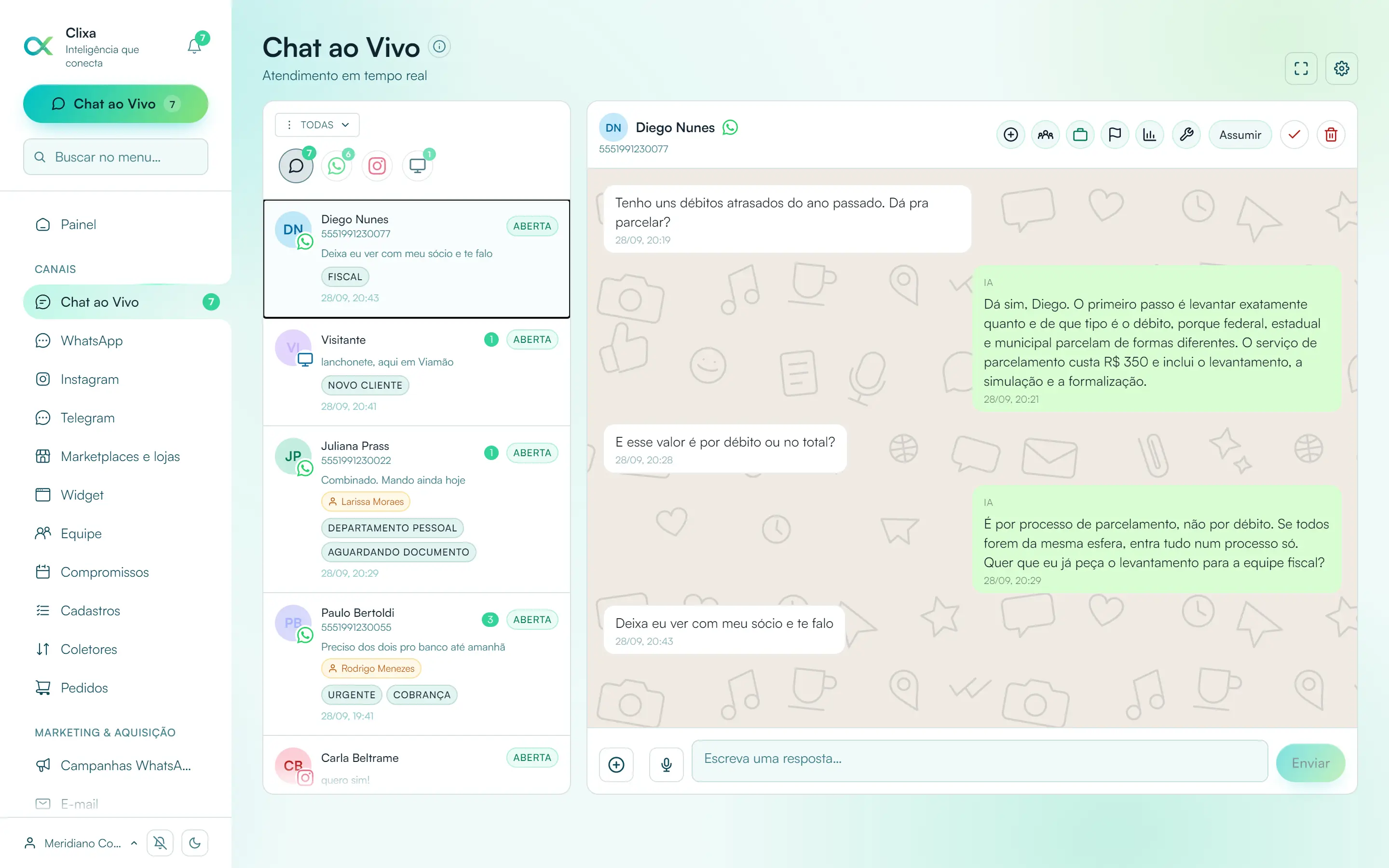
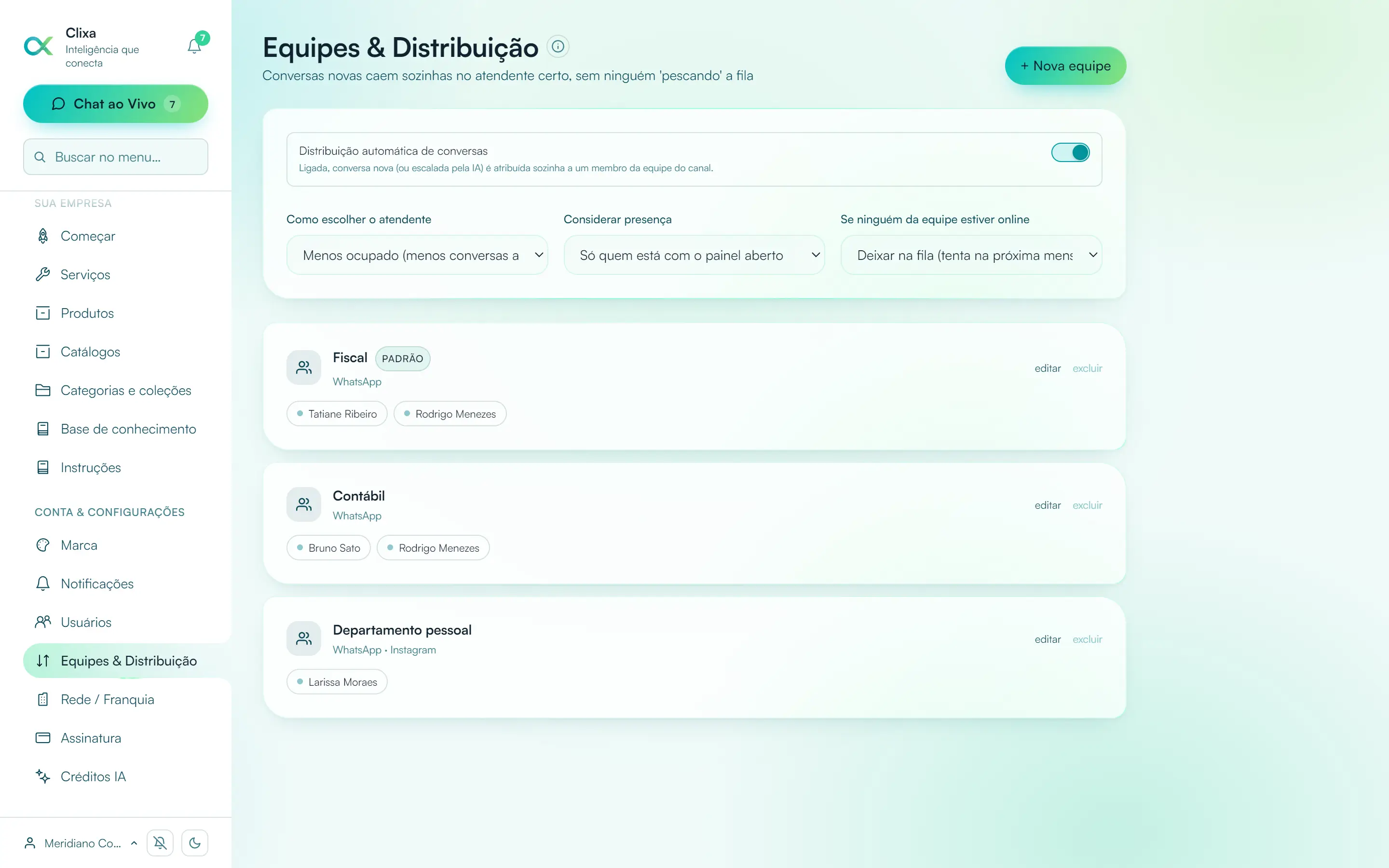
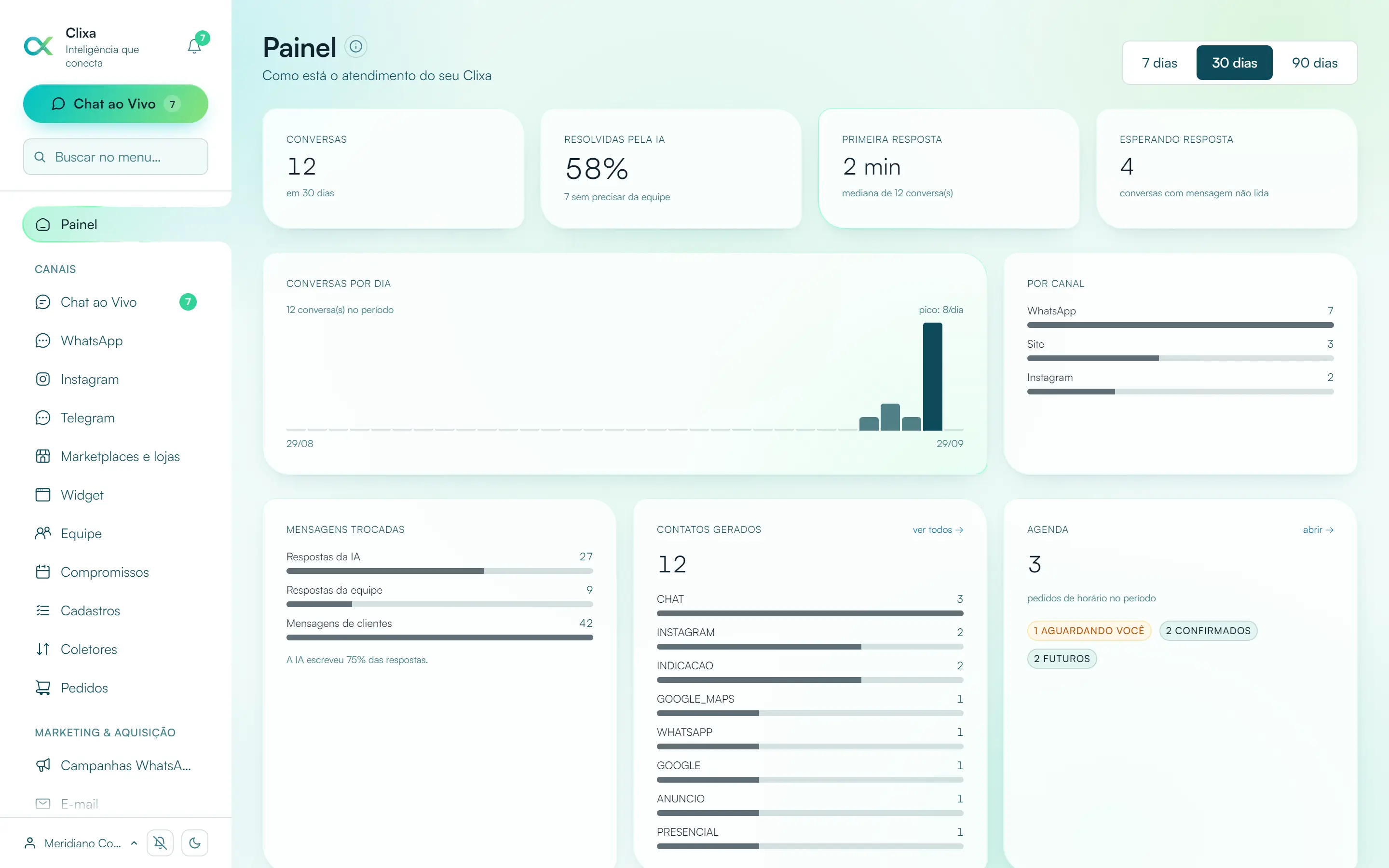
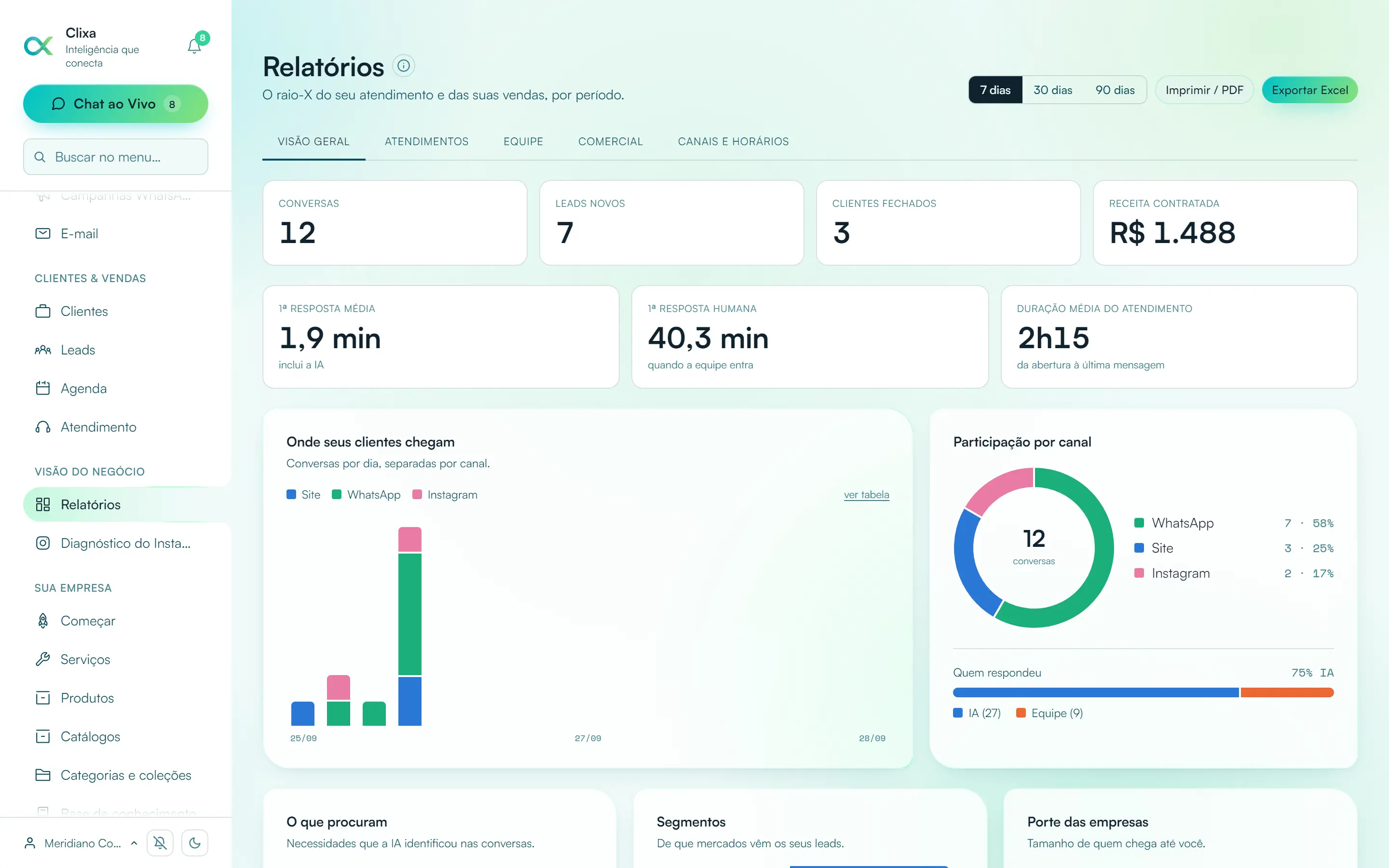
The screen the front desk will use

Real screenshots of the system, nothing mocked up.

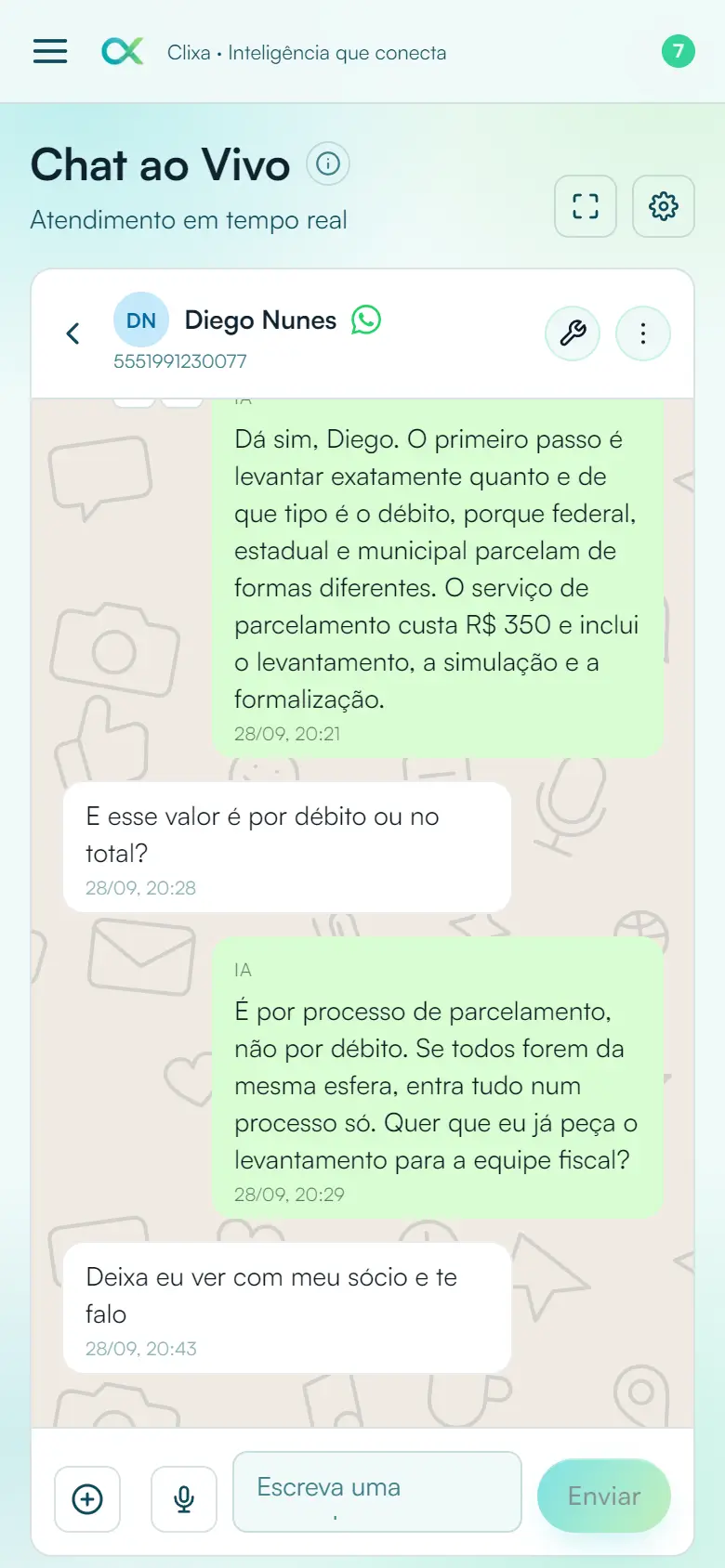
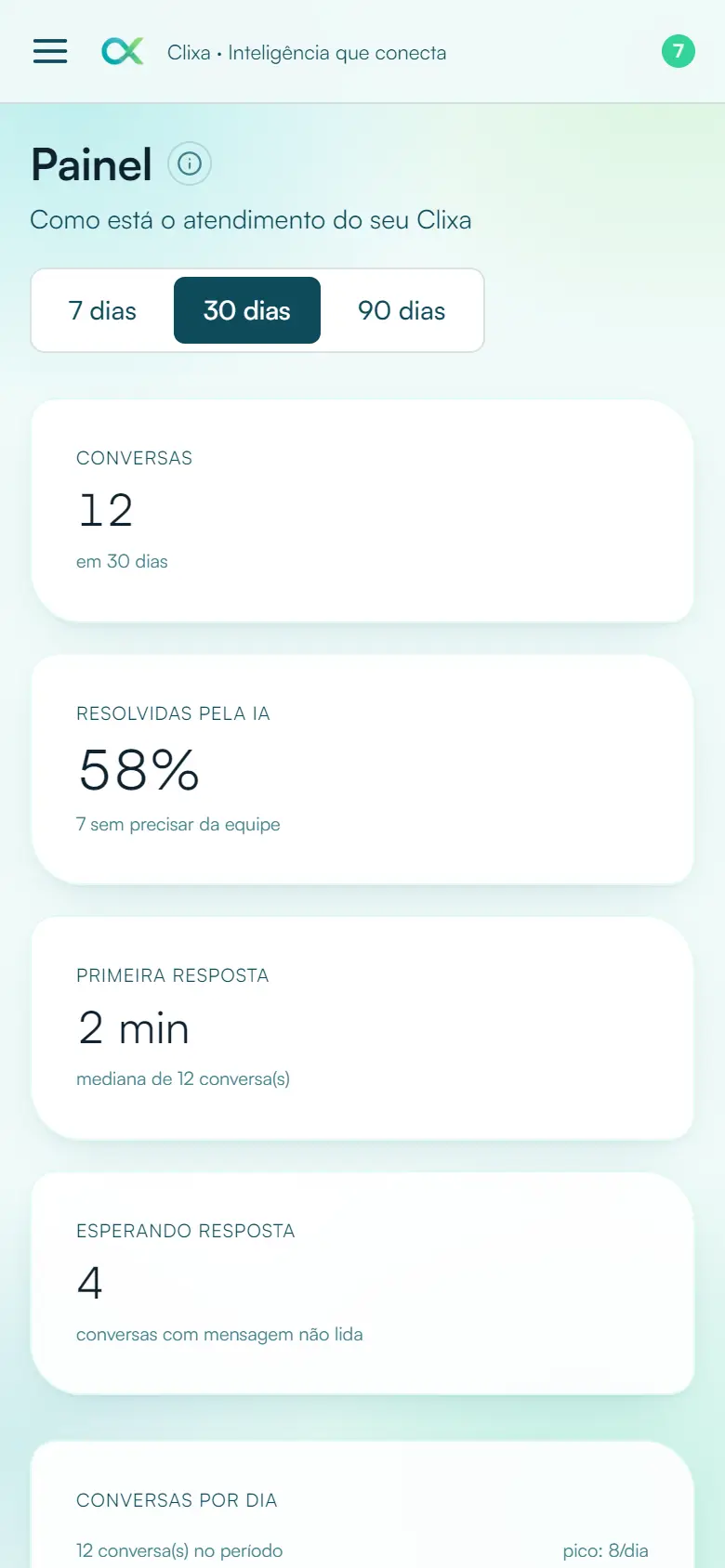
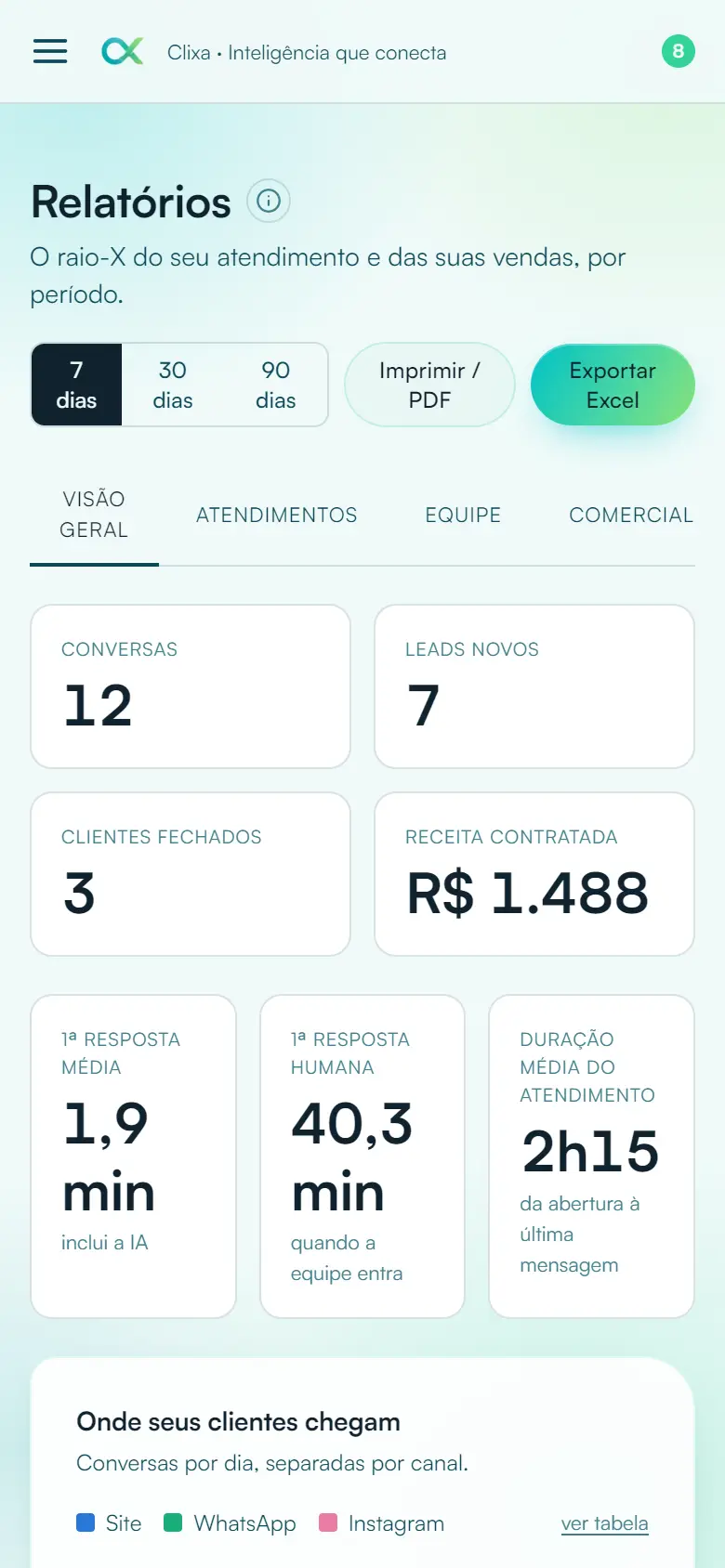
Clixa inbox on a computer: WhatsApp, Instagram and website conversations in the same list Teams and automatic conversation distribution in Clixa Clixa dashboard with customer service numbers Clixa reports: conversations by channel, response time and team results
Clixa on your phone: the same inbox Clixa dashboard on mobile Clixa reports on mobile

The whole front desk on one screen, and on your phone, to check the calendar from anywhere.

Like it? Choose your plan

It works for a single-professional practice and for a clinic with several

Each conversation is answered by the number the patient contacted, without mixing schedules. The inbox is shared and shows who is handling whom.

Dentistry Dermatology Physical therapy Psychology Nutrition Ophthalmology Aesthetics Pediatrics

Patient conversations are sensitive data. We treat them that way.

The clinic is responsible for its patients' data, and the tool needs to help with that instead of getting in the way. What exists today, with no promises:

Available controls

  • Access per personEach user with their own account and per-module permissions: whoever shouldn't see the conversation doesn't.
  • Delete whenever you wantYou can delete conversations at any time and request deletion of your account data.
  • Optional AIYou can turn it off and use Clixa only as the team's shared inbox.

I want this at my clinic

Plans

All include official WhatsApp, Instagram, website chat, AI, knowledge base and scheduling. What changes is the volume.

7-day free trial no credit card, no commitment. You only choose a plan when you decide to stay.

Essencial

R$ 197 R$ 164 per month R$ 197 per month, cancel anytime
Get started

12 months for R$ 1.970 · monthly it would be R$ 2.364

  • 300 AI conversations/month on WhatsApp and Instagram
  • Website chat with unlimited conversations
  • 1 WhatsApp number
  • 1 Instagram account
  • 2 users included
  • Catalog with up to 20 products and 20 services
  • Knowledge base, schedule and internal team chat

Pro

R$ 447 R$ 372 per month R$ 447 per month, cancel anytime
Get started

12 months for R$ 4.470 · monthly it would be R$ 5.364

  • 1,500 AI conversations/month on WhatsApp and Instagram
  • Website chat with unlimited conversations
  • 2 WhatsApp numbers
  • 2 Instagram accounts
  • 5 users included
  • Bulk WhatsApp campaigns, up to 3,000 marketing sends/month
  • Mercado Livre or Shopee in the same customer service
  • Catalog with up to 100 products and 100 services
  • Knowledge base, schedule and internal team chat

Max

R$ 997 R$ 830 per month R$ 997 per month, cancel anytime
Get started

12 months for R$ 9.970 · monthly it would be R$ 11.964

  • 5,000 AI conversations/month on WhatsApp and Instagram
  • Website chat with unlimited conversations
  • 5 WhatsApp numbers
  • 5 Instagram accounts
  • 10 users included
  • Bulk WhatsApp campaigns, up to 10,000 marketing sends/month
  • Mercado Livre and Shopee in the same customer service
  • Unlimited catalog and knowledge base
  • Knowledge base, schedule and internal team chat
  • Email support in the same inbox, sent from your own account
  • Teams with automatic conversation distribution
  • Executive reports by channel, with goals and export

Questions from clinic owners

Can the AI book directly on the calendar without anyone seeing?

No. It always PRE-books: it agrees on the time with the patient and records the request for the team to confirm. The appointment only exists after someone at the clinic validates it; fitting in, overlaps and priority remain your decision.

Will the AI answer patients' clinical questions?

It answers what you register: hours, insurance plans, preparation, documents. Clinical guidance belongs to the professional, and the AI forwards instead of taking a chance. What it can and can't say is defined by you in the dashboard.

What about patient data?

Conversations stay in the clinic's account, with individual logins and permissions per module. You can delete conversations at any time and request deletion of your data. The AI uses the conversation content to reply; if you prefer, you can turn it off and use Clixa only as the team's shared inbox. The privacy policy describes the processing in detail.

Does it work for a dental office and for a clinic with several professionals?

Yes. You can connect more than one WhatsApp number depending on the plan, and each conversation is answered by the number the patient contacted, without mixing schedules. The inbox is shared and shows who is handling whom.

What is Clixa?

Clixa is a customer service platform that brings WhatsApp, Instagram Direct and your website chat into a single inbox, with an AI that answers customers instantly and hands the conversation to a human agent when the subject calls for it. It's designed for small and medium businesses that sell and serve customers by message.

Is it the official WhatsApp? Can my number be banned?

It's official WhatsApp for businesses: Meta's WhatsApp Business Platform (Cloud API), with your company's number. Because it is Meta's official route for businesses, there is no risk of the blocking that hits solutions automating the WhatsApp app outside the rules. There's no need to keep a phone turned on.

Does the AI reply on its own? What if it doesn't know?

The AI replies using the content you register, catalog, prices and your business rules. When the question goes beyond what it knows, or when the customer asks for a person, the conversation is handed to the agent with the full history. You can also turn off automatic replies and use Clixa only as a shared inbox.

Will the AI reply to every message when the customer sends it in pieces?

No. Clixa waits for the customer to stop typing before answering, by default ten seconds of silence. If the person sends "Hi", then the order and then a detail, the AI reads it all together and replies just once. In the website chat, it also notices when the visitor is still typing and waits.

How many people on my team can use it?

It depends on the plan: Essencial includes 2 users, Pro includes 5 and Max includes 10. Plans also differ in the AI's workload, 300, 1,500 or 5,000 conversations per month on WhatsApp and Instagram (no limit on website chat), and in the number of connected accounts. Everyone sees the same inbox, and each conversation shows which agent is handling it.

Can I use more than one WhatsApp number?

Yes. You can connect several WhatsApp numbers and several Instagram accounts in the same organization, each with its own customer service and AI settings. The reply always goes out from the same number the customer used to talk to you.

Do I need to install anything?

No. Clixa works in the browser, on computer and phone. For the website chat, just paste one line of code into your site, on any platform, including WordPress, Wix and online stores.

How long does it take to start serving customers?

The account is created in minutes and the website chat works as soon as you paste the code. Connecting official WhatsApp depends on your business verification with Meta, which is usually the slowest step in the process.

Can I send mass messages on WhatsApp?

Yes, within Meta's rules: with an approved message template, sending only to people who gave consent and immediately respecting anyone who replies "STOP". Clixa controls the sending pace to protect your number's reputation.

Does Clixa also handle and send email?

Yes, both ways. Your business email inbox joins the same inbox as WhatsApp and Instagram, with the AI replying whenever you want. And for promotion, you import lists with consent records (LGPD), segment by your funnel data and send mailings and automations through your own email account, with no cost per send. Unsubscribing is automatic in one click, and invalid addresses are removed from the list on their own to protect your mailbox's reputation.

Are my data and my customers' data safe?

Each organization has its data isolated from the platform's other customers. Every file received is checked by its real content and goes through antivirus before reaching your team, and attachments are only accessible through signed links with an expiration.

Is there a trial period? Do I need a card?

It's a 7-day free trial and no card is needed to start. You can change plans or cancel whenever you want.

What's the difference between Clixa and a regular CRM?

A regular CRM organizes customers that someone has to type in. Clixa records them on its own: every conversation becomes a contact with name, phone, source channel and full history, with no spreadsheet and no typing. For most businesses that sell through messaging, this replaces the CRM; if you already use one, Clixa feeds your records with what today gets lost on WhatsApp.

The front desk says thanks

Connect the clinic's WhatsApp, register hours and insurance plans, and let Clixa serve whoever writes after hours.

Try 7 days free